

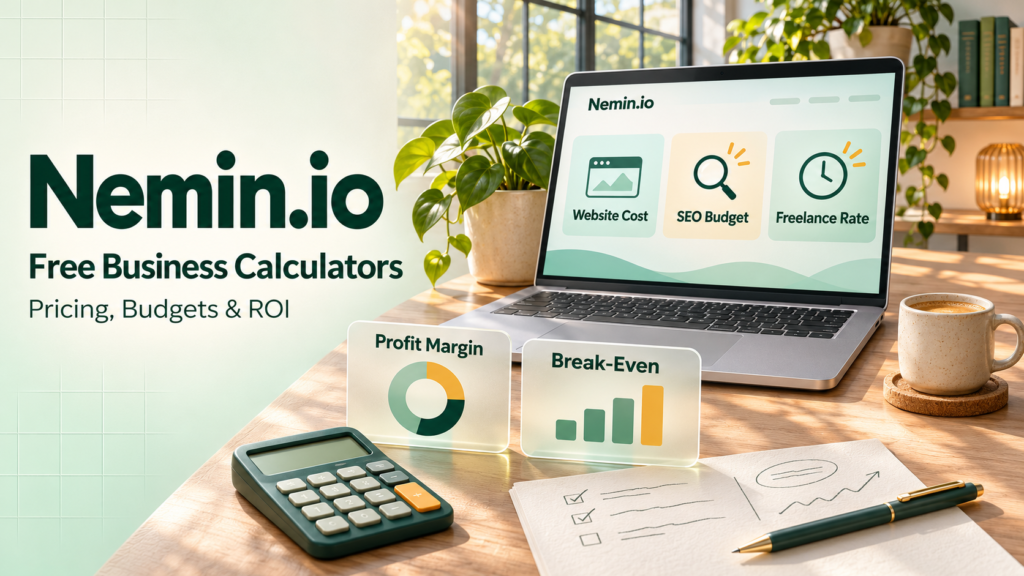
Nemin.io offers free online calculators for setting prices, planning budgets, and measuring returns. Freelancers can estimate an hourly rate based on how much they want to earn and how many hours they can bill. Small businesses can put together a starting budget for a new website, monthly SEO work, or a Google Ads campaign. The site also has tools for calculating how much of your revenue you keep as profit and how many sales you need to cover your costs.
Suppose you want to bring in 50 leads next month through Google Ads. You can enter your lead target, the expected cost per click, and the percentage of visitors you expect to become leads. If clicks might cost more than they did last month, run the calculation again with a higher figure to see how much more you may need to set aside. Comparing those estimates gives you a budget range to work with before you know what the campaign will actually cost.
Nemin.io at a Glance
Nemin.io lists 11 free online tools in its business and marketing directory. Alongside calculators for website costs and advertising budgets, it has tools for setting monthly agency retainers, pricing social media packages, and measuring returns from email campaigns. The directory also includes a word counter for people preparing articles, website copy, or client reports. It shows character and paragraph counts along with estimated reading time, so writers can see how much material they have before they start editing.
Each calculator opens on its own page and asks for figures relevant to the task. The agency retainer calculator starts with monthly work hours, an hourly rate, overhead, and target profit. The email campaign calculator uses campaign costs and revenue to estimate the return. The tool pages explain what those inputs mean and what the results represent. Nemin.io describes its tools as designed for U.S. business planning, and many of its cost and pricing fields are labeled in dollars.
Who the Tools Are Designed For
Nemin.io is designed for freelancers, consultants, and agencies that need to estimate what to charge for their work. A freelancer might spend part of the week answering emails, sending invoices, and looking for clients. The hourly rate calculator lets them base their estimate on the hours they expect to bill. An agency putting together a monthly package can use the retainer calculator to account for recurring work such as content updates, reporting, and client meetings.
Startup founders, small business owners, and marketers can use the tools at different stages of a project. A founder preparing to launch an online store can estimate the cost of building the site and work out a separate budget for ongoing marketing. A business considering a new product can estimate how many units it needs to sell to cover its costs. Once a campaign ends, a marketer can use the amount spent and the revenue it generated to calculate its return.
Website, SEO, and Advertising Budget Calculators
Nemin.io offers three calculators for planning what it costs to build a website and attract visitors once it’s live. The Website Cost Calculator estimates the build based on the project’s scope, design, and features. The SEO Cost Calculator helps estimate a monthly budget for improving visibility in unpaid search results, taking into account the level of competition and the work involved. For paid search, the Google Ads Budget Calculator uses your target number of leads, expected cost per click, and estimated conversion rate to work out how much you might need to spend.
A business planning a three-month launch can budget for the website build as a project cost, then set aside money for SEO and advertising each month. The Google Ads calculator also has a field for a monthly management fee, so the budget can include both the money paid for ads and the cost of running the campaign. If an agency’s proposal already includes ad management, count that fee once when combining the estimates. When comparing proposals, check whether the price includes the ad spend or whether you’ll pay Google separately.
Website Cost Calculator for Design and Features
Nemin.io’s Website Cost Calculator helps estimate the budget for building or redesigning a small business website. Start by entering the number of pages and selecting the design quality and platform setup that fit the project. The form also asks how many pages need copywriting, how many months of maintenance you want to include, and what level of SEO setup you need. For a five-page site, you might supply the text for the home and contact pages and budget for a writer to handle the other three.
The calculator gives you an estimated price range based on those choices. You can run it again with a different design level or maintenance period to see how each change affects the budget. When comparing the estimate with a developer’s proposal, check which features the proposal includes. A site with online booking or a connection to your customer database may require extra setup, and the final quote will reflect how the developer prices that work.
SEO Cost Calculator for Monthly Campaign Budgets
Nemin.io’s SEO Cost Calculator estimates what you might spend each month to improve your website’s visibility in search results. The form asks about your target keywords, campaign type, website size, planned blog posts, target locations, and growth goal. For a local service business, you might enter one target location and plan for two new articles per month. If you expect to serve another city later, run a second estimate with that location included to see how expanding the campaign affects the monthly budget.
The result gives you a monthly price range to use when reviewing proposals. Check what each provider includes in that price, such as content writing, technical fixes, and performance reports. An agency may also charge separately for an initial website audit. If you’re planning a three-month campaign, list the audit as a one-time expense and include the recurring SEO fee for each month. That gives you a total for the full campaign period.
Google Ads Budget Calculator for Clicks and Leads
Nemin.io’s Google Ads Budget Calculator starts with the number of leads you want to generate each month. It asks for your expected landing page conversion rate, average cost per click, and any monthly management fee. The conversion rate tells you how many visits you may need to reach your lead target. For example, if you expect 5% of visitors to submit a form or call your business, you can estimate about one lead for every 20 clicks.
Suppose your goal is 60 leads at a 5% conversion rate. You’d need about 1,200 clicks, which would cost $3,000 at an average of $2.50 per click. A $500 management fee would bring the estimated monthly budget to $3,500. If the landing page converts at 4% instead, you’d need about 1,500 clicks to reach the same goal, bringing ad spend to $3,750 before fees. Once the campaign is running, you can use its actual click costs and conversion rate to refine the next month’s budget.
Pricing Tools for Freelancers and Agencies
Nemin.io offers three tools for pricing different kinds of client work. The Freelancer Hourly Rate Calculator starts with the income you want to earn and the hours you expect to bill. The Agency Retainer Calculator estimates a monthly fee for recurring services based on the time and costs involved. For social media work, a separate calculator lets you build a monthly estimate around the number of platforms you manage and the posts, videos, and reports the client expects.
Before using an estimate in a proposal, write down what the client will receive. A monthly package might cover a planning call, a set number of deliverables, and a performance report. Specify whether reporting means sending a short summary or preparing a presentation and meeting with the client to discuss it. Those details give you a basis for pricing the work and help you see how much extra time to allow if the client asks for more frequent updates.
Freelancer Hourly Rate Calculator for Income and Billable Hours
The hourly rate calculator asks for your target annual income, yearly business expenses, billable hours per week, working weeks per year, and a tax buffer expressed as a percentage. Business expenses can include recurring costs such as software subscriptions. The working-weeks field lets you account for planned time off, while billable hours represent the time you expect to invoice. Together, those two inputs show how many paid hours you have over the year to cover your income goal and expenses.
A freelancer who bills 24 hours a week for 46 weeks has 1,104 billable hours over the year. If bookings average 20 hours a week, that falls to 920 hours over the same period. Run both scenarios with your annual income and expenses to see how much you would need to charge in each case. That gives you a range to consider when a client proposes an hourly rate and you’re deciding whether the work fits your expected schedule.
Agency Retainer Calculator for Monthly Service Fees
Nemin.io’s Agency Retainer Calculator estimates a monthly fee for recurring client work. Enter the hours you expect to spend each month, the hourly rate you’re using to price the work, monthly software costs, and your desired profit margin. For a website maintenance retainer, those hours might cover routine updates, backup checks, and a round of page edits. If you use the same software subscription for several clients, include the share of that expense you want this retainer to cover.
Suppose the work takes 12 hours a month at an internal labor cost of $60 per hour, and software adds another $80. That puts your estimated monthly costs at $800. A $1,000 retainer would leave $200 after those costs, giving you a 20% margin on the fee. If the client asks for additional work, you can update the expected hours and check how much the monthly fee would need to change to cover it.
Social Media Pricing Calculator for Client Packages
The Social Media Pricing Calculator estimates a monthly management fee based on the work included in a package. The form asks how many platforms you’ll manage, how many posts you’ll publish each week, how many short videos you’ll produce each month, how much ad spend you’ll manage, and what level of reporting you’ll provide. For example, you could estimate a package that covers Instagram and Facebook, three posts per week, four short videos per month, and a monthly performance summary.
When turning the estimate into a client proposal, specify what goes into each deliverable. Editing four videos from footage the client supplies takes different work from scripting, filming, and editing all four. If the client pays the advertising platforms directly, list that budget separately from your fee for managing the campaigns. Spell out what the monthly report covers, too, so the client knows whether the package includes a written summary, a review call, or both.
Profitability and Campaign Performance Calculators
Nemin.io’s profitability tools cover several ways to assess a sale, project, or campaign. The ROI Calculator compares a project’s return with its cost, while the email campaign calculator applies that comparison to email marketing. The Profit Margin Calculator shows how much of the selling price remains after the costs you enter. The Break-Even Calculator estimates how many units you need to sell before the money left from each sale covers your fixed costs.
Consider an online shop that runs an email promotion for a discounted product. The promotion may bring in more orders while leaving less profit on each sale. The owner can use the campaign’s attributed revenue and costs to estimate its return, then use the discounted selling price and product cost to check the margin per sale. If the promotion involved a fixed expense, the break-even calculator can estimate how many units the shop needs to sell at that price to cover it.
ROI Calculator for Project Costs and Returns
Nemin.io’s ROI Calculator uses two figures, the revenue a project generates and its total cost. Enter both figures for the same project and time period. If you’re checking the return on a paid workshop, for example, count the ticket revenue alongside costs such as the venue, materials, and promotion. You can use projected sales and expenses before the event, then replace them with actual figures when you have the final numbers.
If the workshop brings in $5,000 and costs $4,000, it earns $1,000 above those costs. Divide that gain by the $4,000 cost and multiply by 100 to get an ROI of 25%, or 25 cents above cost for every dollar spent. If ticket sales reach only $3,000 against the same $4,000 cost, the ROI would be −25%. In that case, the workshop would recover three-quarters of what it cost to run.
Email Campaign ROI Calculator for Costs and Revenue
The Email Campaign ROI Calculator estimates revenue and return using your email list size, open rate, click-through rate, conversion rate, average order value, and campaign cost. The engagement rates help estimate how many subscribers might go on to buy, while the average order value translates those expected purchases into revenue. If you’ve run a similar campaign, its engagement rates and order values can give you a starting point for the new estimate.
Suppose you expect the campaign to generate 20 orders averaging $50 each. That’s $1,000 in projected sales, giving you an estimated ROI of 150% if the campaign costs $400. When comparing campaigns, use the same definition of cost each time, including expenses such as email software, design, and copywriting where they apply. If you want the calculation to show your return after fulfilling those orders, include the related product and shipping costs as well.
Profit Margin Calculator for Revenue and Expenses
Nemin.io’s Profit Margin Calculator asks for revenue and total cost, then shows the profit amount and margin percentage. Use figures that cover the same sale, project, or reporting period. A freelancer reviewing a completed job could enter the client fee as revenue and include subcontractor fees, software, and other expenses tied to the work. If you also allocate part of your regular business overhead to the job, include that amount in the cost total so the margin reflects those expenses.
Suppose a project brings in $2,000 and costs $1,500. That leaves $500 in profit. Divide the $500 by the $2,000 in revenue and multiply by 100 to get a 25% profit margin. If you offer a $1,800 price for work that costs $1,500, the project would leave $300 in profit and a margin of about 16.7%. Running both figures shows what the discount would cost you before you agree to it.
Break-Even Calculator for Sales Targets
The Break-Even Calculator estimates how many units you need to sell for revenue to cover your costs. Enter your fixed costs for the period, the selling price per unit, and the variable cost of producing or delivering each unit. Fixed costs can include monthly rent, while variable costs can include the materials and packaging for each item sold. The difference between the selling price and variable cost is the amount each sale contributes toward covering fixed expenses.
If your fixed costs are $1,200 a month and you sell a product for $40 that costs $25 per unit, each sale contributes $15 toward fixed costs. Dividing $1,200 by $15 gives a break-even target of 80 units for the month. At that volume, $3,200 in sales covers $2,000 in variable costs and $1,200 in fixed costs. If your own calculation gives a fraction and you sell whole units, round up to the next whole unit for your sales target.
How to Use Nemin.io’s Calculators
Open Nemin.io’s tools directory and choose the calculator that answers your question. Gather the figures from a quote, invoice, sales record, or campaign report before filling in the form. For a future project, keep track of which costs you’ve confirmed and which ones you’re estimating. Use the period the calculator asks for. For example, if a $300 software fee covers three months, enter $100 when working out the cost for one month.
Enter your figures, select Calculate, and check what the result measures. A monthly budget, a percentage margin, and a sales target serve different purposes, so keep the original inputs with any figure you add to a proposal or budget. To compare two scenarios, record the first result before using Reset. Try changing one input at a time, such as the selling price or expected work hours, so you can see how that specific change affects the estimate.
Worked Example for Setting a Freelance Rate and Checking Project Profit
Suppose a freelance designer wants to earn $45,000 a year and expects $5,000 in annual business expenses. Billing 20 hours a week for 50 working weeks gives the designer 1,000 billable hours. Dividing the $50,000 needed to cover income and expenses by those hours gives a starting rate of $50 per hour. This example calculates the rate before a tax buffer, which Nemin.io’s hourly rate calculator lets you enter separately.
Now suppose a client agrees to pay $900 for a project that takes 12 hours and requires $120 in additional expenses. Valuing the designer’s time at $50 per hour puts the labor estimate at $600, for a total project cost of $720. Entering $900 in revenue and $720 in costs into the Profit Margin Calculator leaves an estimated $180, or a 20% margin. That margin shows what the project earns after accounting for the designer’s time and the extra expenses.
How Reliable Are Nemin.io’s Estimates?
Profit margin and break-even results can be checked against standard formulas. The main question is whether the inputs cover the costs you intend to measure. For example, a payment processor might charge a monthly subscription and a fee on every sale. The subscription belongs with fixed costs, while the per-sale fee belongs in the variable cost per unit. Leaving that fee out would make the break-even sales target look lower than it really is.
Website and SEO estimates depend more on the scope of work and the rates providers charge. Nemin.io explains which inputs affect its ranges and presents them as figures for planning. When comparing a range with a proposal, check whether both cover the same work. A redesign quote, for instance, may include moving existing content and testing the new site for accessibility. Those line items help explain why a provider’s price can differ from the calculator’s estimate.
U.S. Dollar Inputs and Local Market Rates
Nemin.io describes its tools as designed for U.S. business planning, and many forms label their cost and revenue fields in dollars. For a calculation based entirely on the figures you enter, such as profit margin, use the same currency for every amount. Revenue of €1,000 and costs of €750 leave €250 in profit, which gives a 25% margin. In that example, the percentage is independent of the currency, and the profit amount is in euros because that’s the currency used for both inputs.
Website and SEO cost estimates also depend on the scope of work and what providers charge in your market. Converting a U.S. dollar estimate into another currency gives you its exchange-rate equivalent. A local proposal reflects what a provider would charge for the work you need. When budgeting for a website outside the United States, compare quotes that cover the same page count, design work, and ongoing support so you can see which differences come from price and which come from the services included.
Free Access, Privacy, and Support
Nemin.io says all its tools are free to use in a web browser without signing up. The public directory gives a short description of each calculator, and the individual pages contain the input form, results area, and guidance on how to use the estimate. Related tools are linked from each page. For example, you can move from the agency retainer calculator to the profit margin calculator if you want to check what a proposed monthly fee would leave after your expected costs.
The site’s contact form accepts questions, suggestions, and reports about problems with the tools. It asks for your name, email address, subject, and message. If you get an unexpected result, name the calculator and describe the steps that led to it so the support team can understand what happened. The privacy policy also directs visitors to the same contact page for questions about how their information is handled.
What the Privacy Policy Says About Data and Cookies
Nemin.io’s privacy policy, effective October 6, 2026, says the site may collect information you submit through its contact form, including your name, email address, and message. It also describes technical and usage data the site may collect during a visit, such as your IP address, browser type, and the pages you open. The policy says this information may help operate the tools, respond to support requests, and understand how visitors use the site. It gives limited detail about whether individual calculator entries are stored.
The policy says Nemin.io and some third-party providers may use cookies and similar technologies for site functionality, analytics, security, and advertising. It names Google AdSense as a possible advertising service and explains that advertising partners may use cookies to deliver ads and measure their performance. Visitors can manage cookies through their browser settings and use any consent controls the site provides. The policy also points to Google Ads Settings for managing personalized advertising preferences.
Frequently Asked Questions
What is Nemin.io used for?
Nemin.io helps freelancers, agencies, and small businesses plan budgets, set service prices, and calculate returns. Its tools cover decisions such as what to charge for a project and how many sales are needed to cover costs.
Are Nemin.io’s calculators free?
Yes. Nemin.io says all the calculators in its public tools directory are free to use.
Do you need an account to use Nemin.io?
You can use the calculators directly in your browser. Nemin.io says its tools work without a signup.
Which calculators are available on Nemin.io?
The site has calculators for website costs, SEO costs, Google Ads budgets, freelance hourly rates, agency retainers, and social media pricing. It also offers ROI, email campaign ROI, profit margin, and break-even calculators, plus a word counter.
How does Nemin.io estimate website costs?
The Website Cost Calculator asks for the number of pages, design quality, platform setup, and how many pages need copywriting. It also takes maintenance and SEO setup into account when producing a price range.
Can Nemin.io help you set a freelance hourly rate?
Yes. Its hourly rate calculator uses your annual income target, business expenses, expected billable hours, and working weeks to estimate a starting rate. It also includes a field for a tax buffer.
How do the SEO and Google Ads calculators differ?
The SEO calculator estimates the monthly cost of improving unpaid search visibility based on factors such as campaign scope, content needs, and target locations. The Google Ads calculator estimates paid advertising costs using your lead target, expected conversion rate, and average cost per click.
What is the difference between ROI and profit margin?
ROI expresses the gain as a percentage of what you spent. Profit margin expresses profit as a percentage of revenue. If a project earns $1,200 and costs $900, the $300 gain represents a 33.3% ROI and a 25% profit margin.
How accurate are Nemin.io’s estimates?
Results such as profit margin depend on the accuracy of the figures you enter. Website and SEO estimates are planning ranges, and a provider’s final quote can vary based on the work included and the rates charged.
Can you use Nemin.io outside the United States?
Yes. For calculations such as ROI and profit margin, use one currency consistently across your inputs. The site is designed around U.S. business planning, so check website and marketing estimates against rates in your local market.
Does Nemin.io store the information you enter into its calculators?
The privacy policy describes the contact details, usage data, and technical information the site may collect. Whether it retains the individual figures entered into its calculators remains unclear from the published policy.
Who runs Nemin.io?
The site’s About page describes its purpose, and its Contact page provides a form for reaching the team. A public WHOIS listing shows a registration privacy service, so the name of the person or company operating Nemin.io remains unverified.
Conclusion
Nemin.io gives you a way to test a budget or price while the details are still flexible. When preparing a proposal, for example, you can estimate the hours and expenses involved, then see what the proposed fee would leave after those costs. If the project only makes sense within a certain number of hours, you have a concrete figure to check against the work the client expects.
Once the work is finished, compare your estimate with the invoice, timesheet, or campaign report. If a job took longer than planned, use the actual hours the next time you price that service. If an ad campaign generated fewer leads than expected, use its measured conversion rate when you plan the next budget. Keep the original estimate alongside those results so you can see which assumptions changed.
